NBCI Civil Society Initiative
How to Host the Live Stream (For the Leader)
Step 1: Get Ready
- Sit in a quiet room with good lighting.
- Hold your phone straight up and down (like you are taking a selfie).
Don't turn it sideways! - Make sure your phone has strong Wi-Fi.

Step 2: Start the Video
- Open the Facebook app on your phone.
- Go into your Prayer Warriors Group.
- Tap the box at the top that says "Write something..." or "What's on your mind?"
- Look at the menu that pops up from the bottom and tap the red Live Video button (it looks like a little camera).
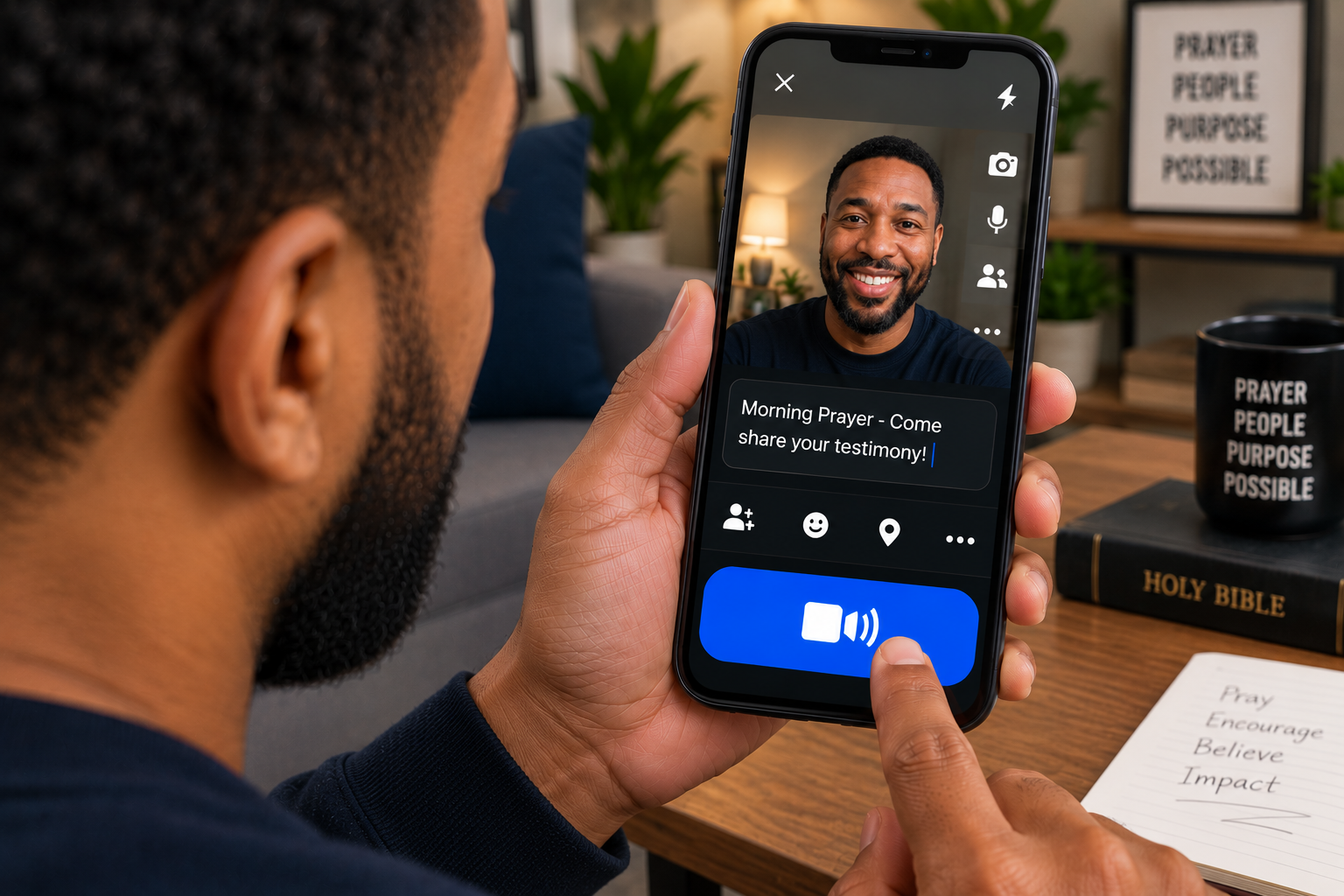
- Type a quick title like: "Morning Prayer - Come share your testimony!"
- Tap the big blue Go Live button at the bottom. You are now on camera!
Step 3: Let People Talk on Your Screen
- Tell your viewers: "If you want to talk, tap the Request button on your screen!"
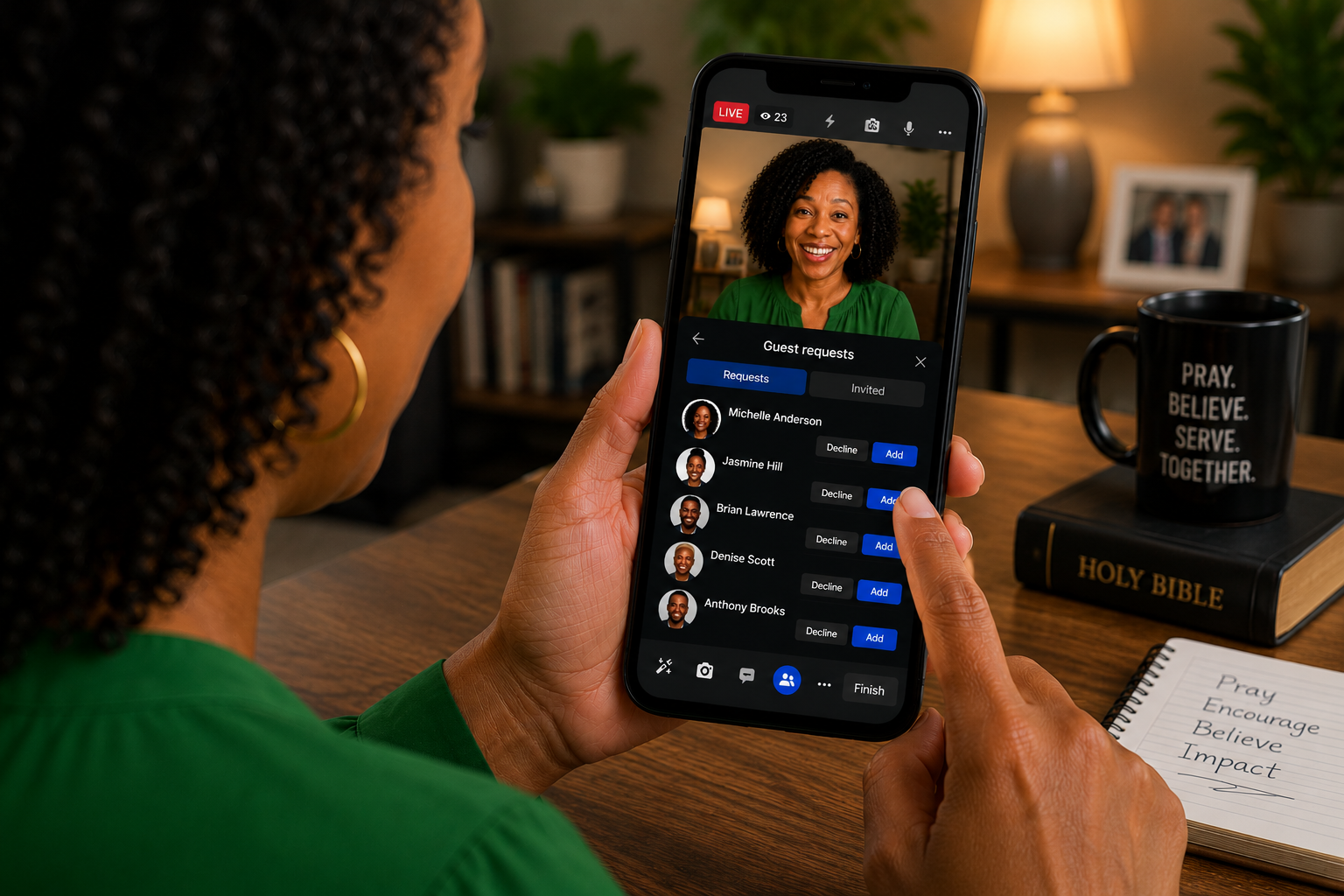
- Look at the bottom of your screen and tap the Guests button (it looks like two little people or smiley faces).
- You will see a list of people who want to talk. Tap Approve or Add next to their name.
- Their face will pop up right next to yours so they can speak!
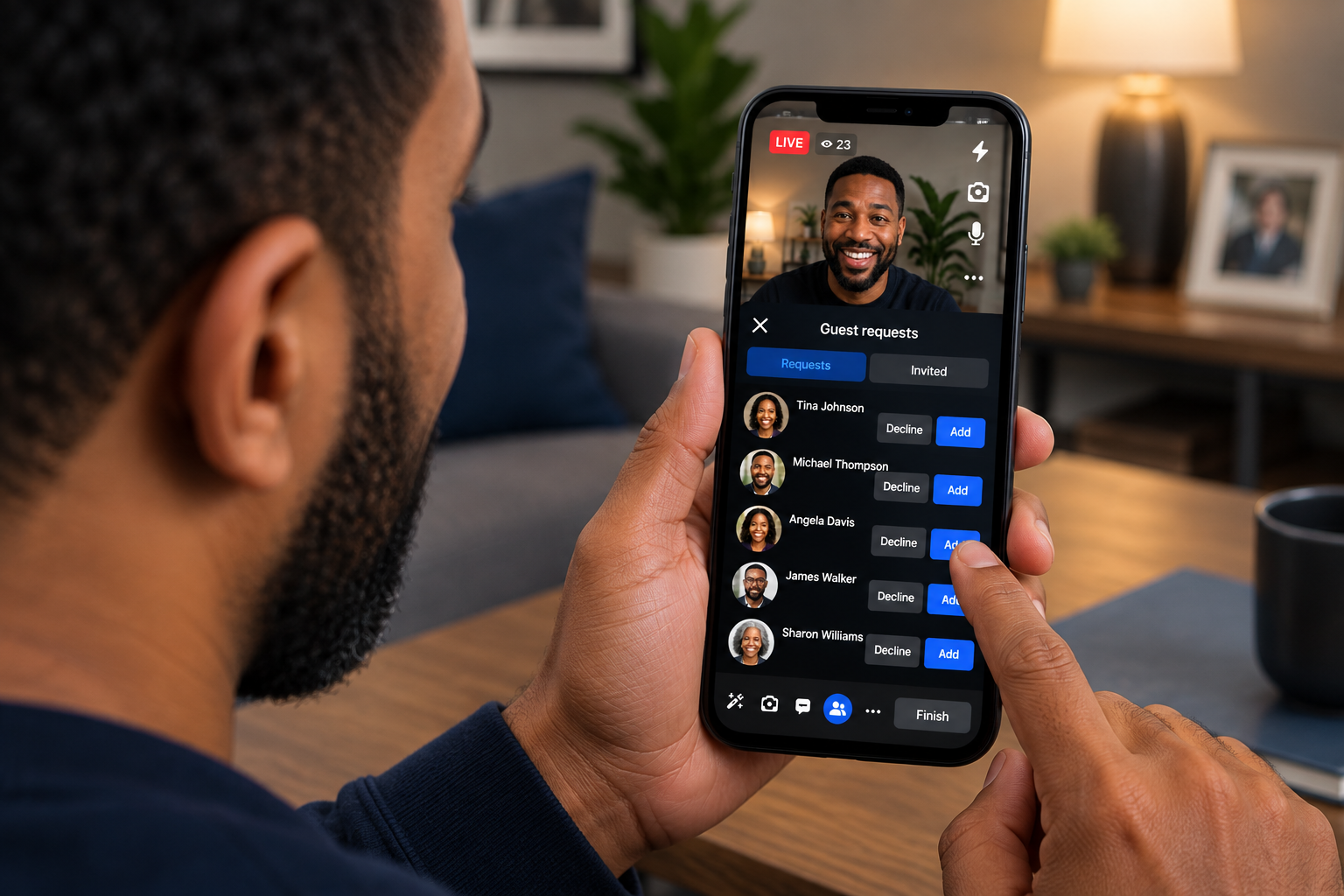
- When they are done, tap the little X on their picture to remove them.

👥 How to Watch and Join In (For the Audience)
Step 1: Find the Prayer Meeting
- Open your Facebook app.
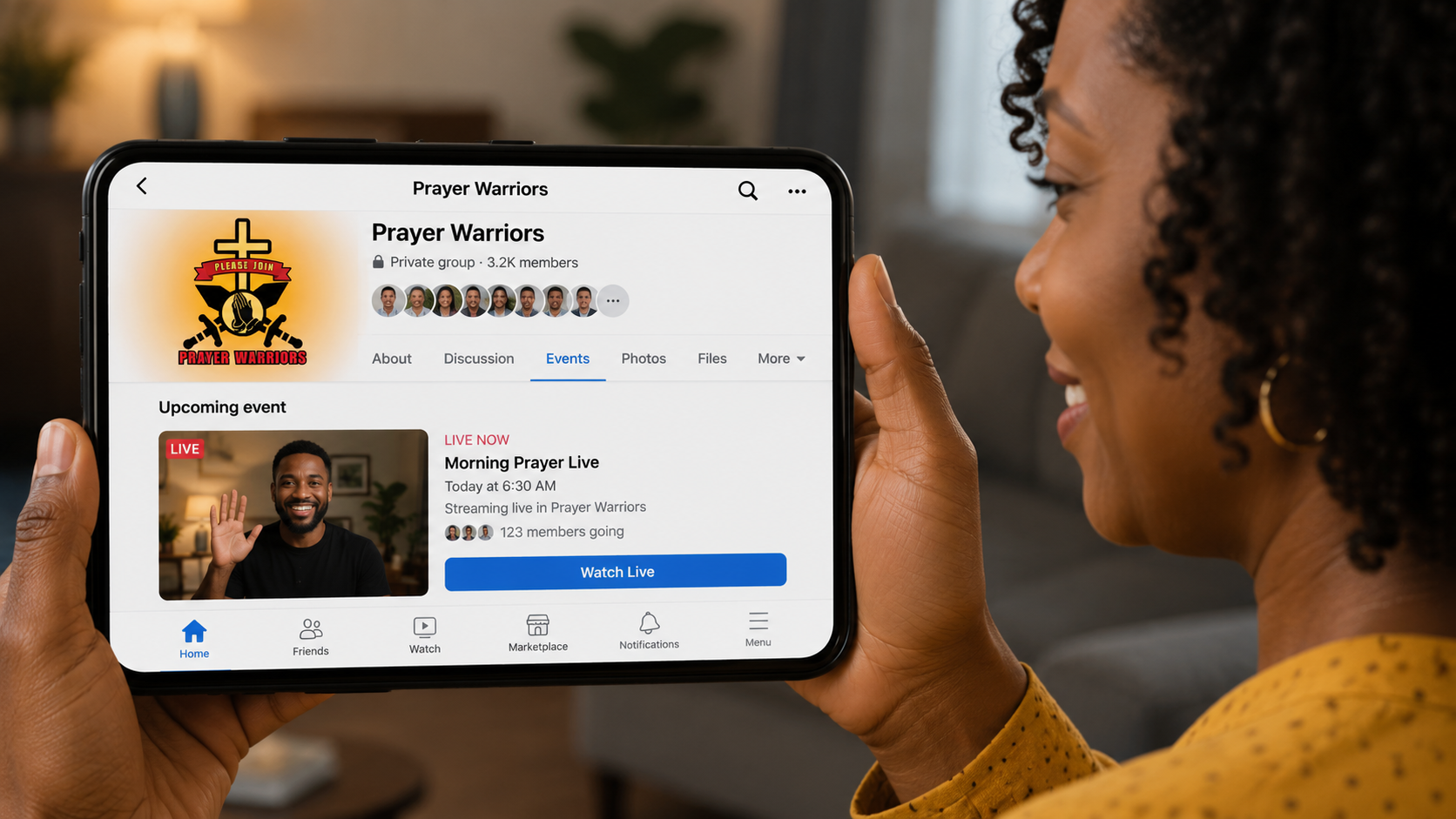
- Go to the Prayer Warriors Group page.
- Tap the Events tab near the top.
- Tap Morning Prayer Live and click Watch Live. (Remember, this happens every morning at 6:00 am except Sundays!)
Step 2: Get on Screen to Share Your Testimony
- While you are watching the video, hold your phone straight up and down.
- Look at the bottom of your screen and tap the Request to Join button (it looks like a little video camera with a plus sign, or two little people).
- Wait a moment for the leader to accept you.

- Boom! Your face will appear on screen. Now you can share your story with everyone!

Step 3: Become an Official Prayer Warrior
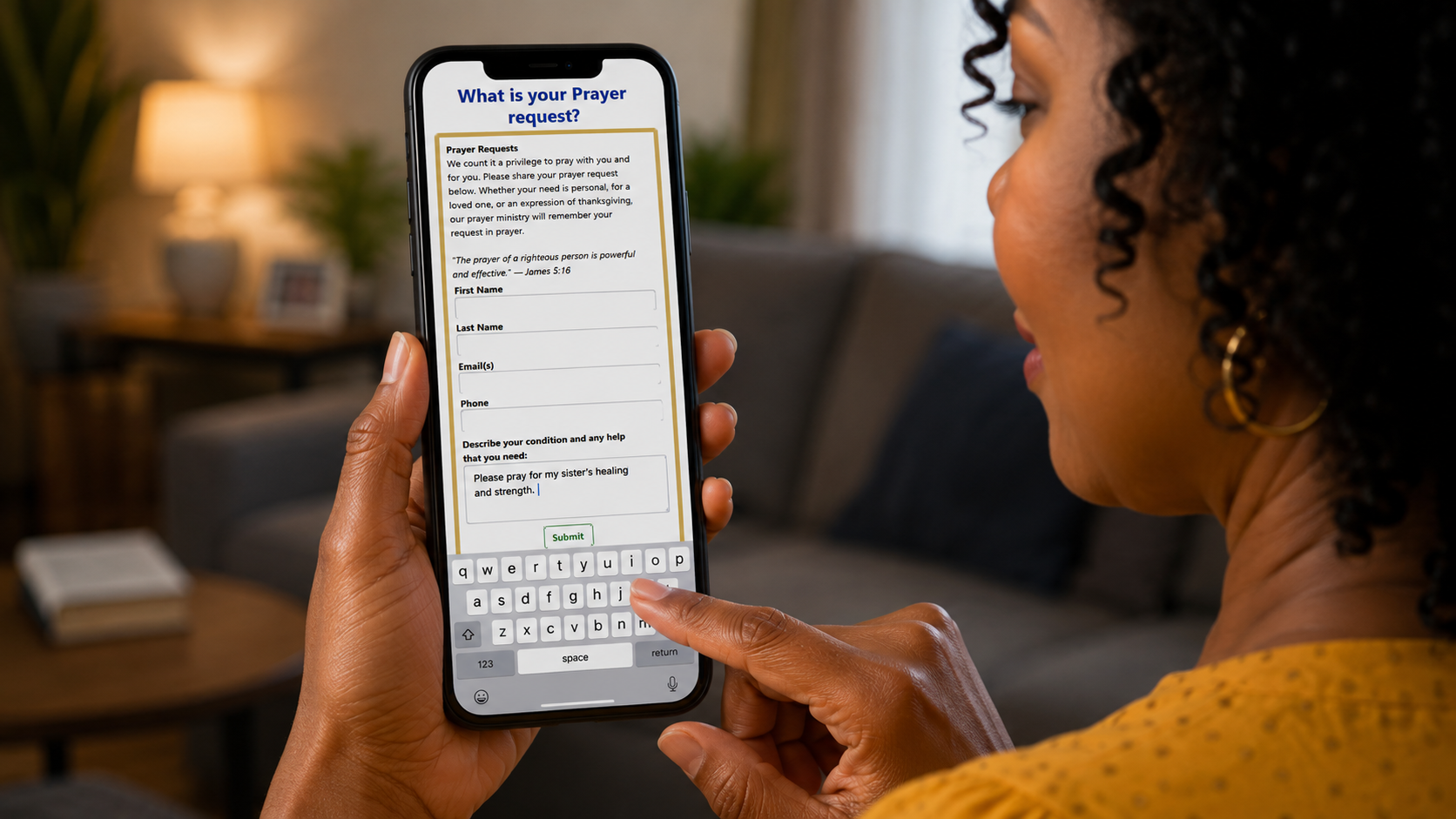
Open your internet browser and go to the Prayer Warrior Website. Do these 4 easy things:- Write your prayer request: Type what you want the church to pray for in the empty box.
- Fill out your info: Type your name, phone number, and church name.
- Give $5.00: Tap the Donate button and give a one-time five-dollar gift to help keep the internet prayer line running.
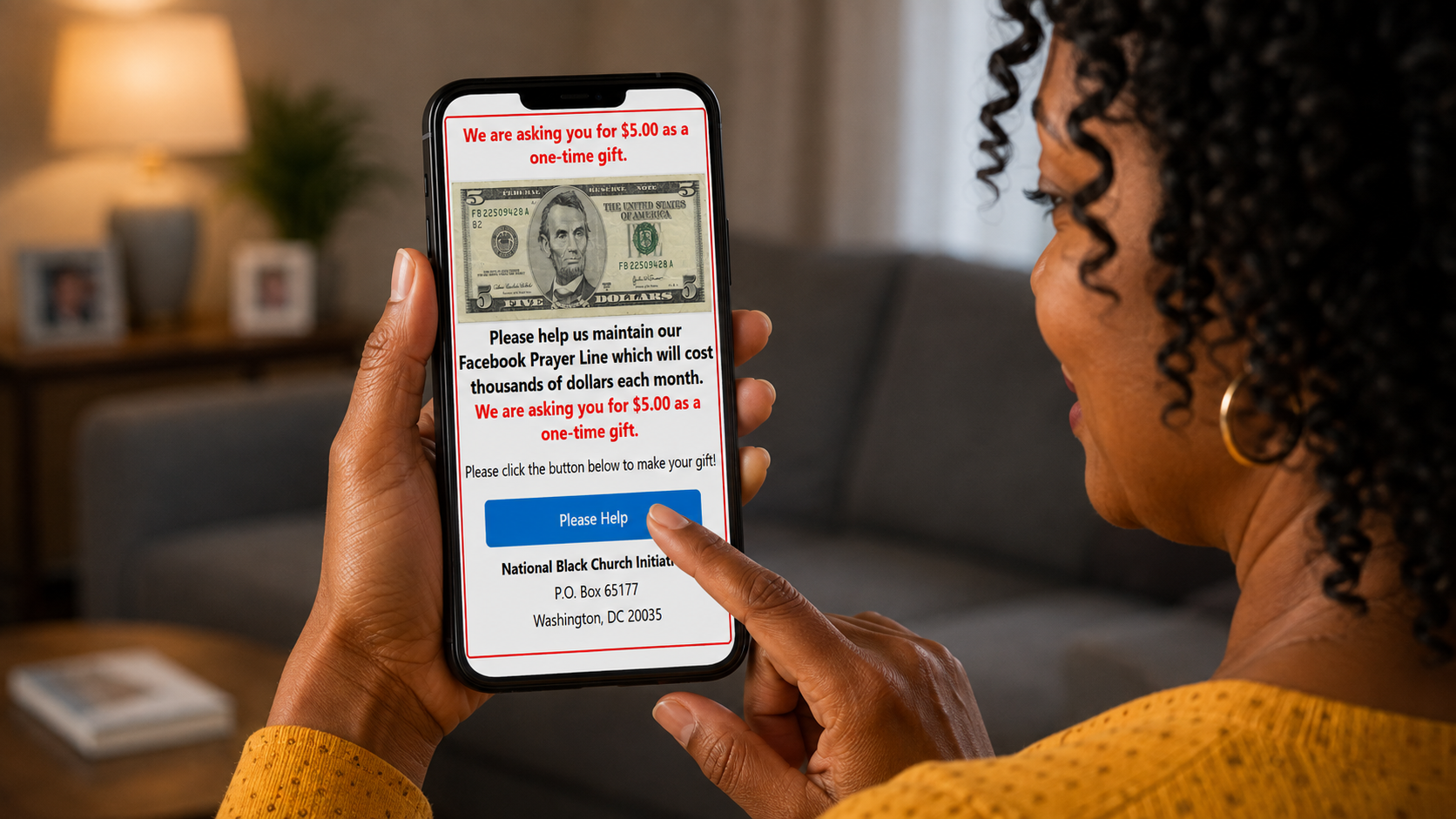
- Say YES to leading prayer: Check the box or write that you are willing to lead the prayer circle yourself one morning soon!
We look forward to praying with you each morning!